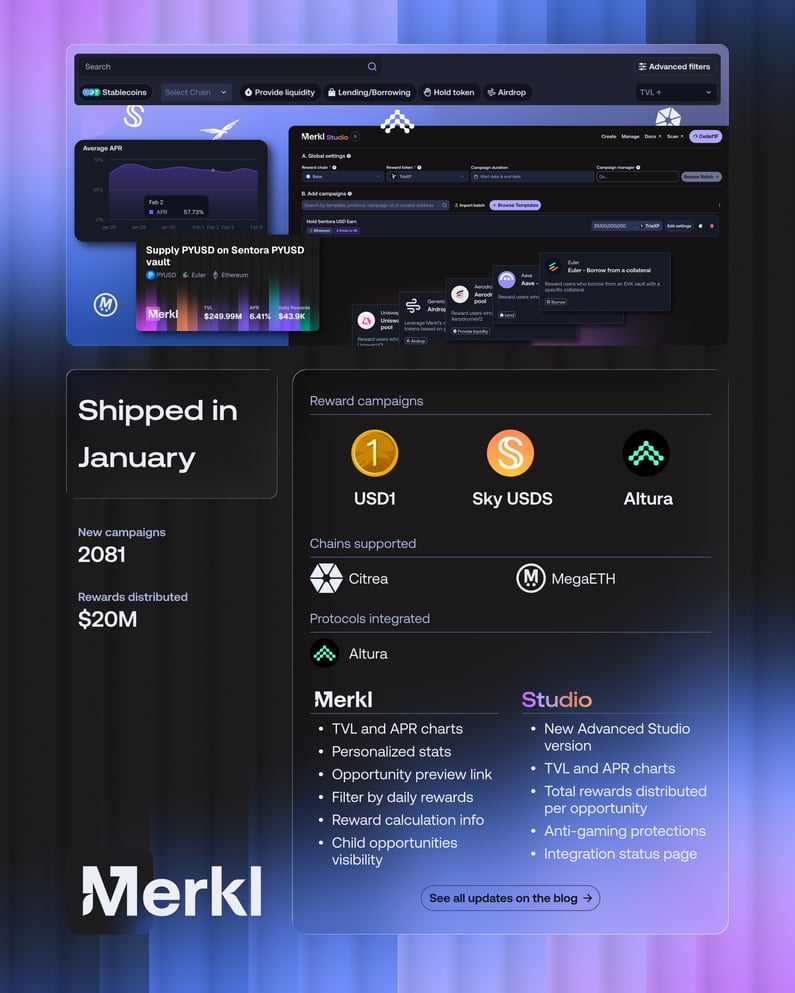
Welcome to the second edition of the Merkl Monthly Recap!
At the start of each month, we’ll recap everything that happened across the Merkl ecosystem in the previous month, from newly supported chains and incentive program launches to exciting features for both DeFi users and incentive campaign creators.
January 2026 was full of exciting updates. The Merkl team shipped faster than ever. Citrea, the Bitcoin application layer, is now supported on Merkl. Users can now visualize TVL and APR evolution over time for each opportunity, making it easier to understand the impact of liquidity deposits on APR.
On the other side, campaign creators can now launch campaigns in batch from the brand-new Merkl Advanced Studio and track supported tokens and chains through a newly dedicated page.
Dive in to see all the ways Merkl is leveling up your experience this past month!
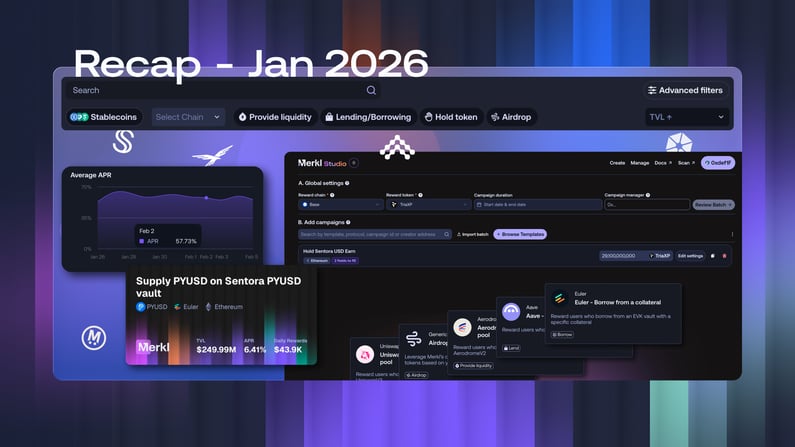
Incentives campaigns
Key reward campaigns started in January and are continuing in February:
- World Liberty Finance via Dolomite
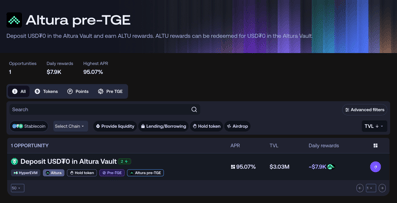
- Altura pre-TGE
- Sky USDS market launch on Morpho
Chains supported
Citrea, the new Bitcoin application layer, and MegaETH, the real-time L2, were added to Merkl in January, enabling protocols to launch incentive campaigns on both chains.
In the coming months, Merkl will support its first non-EVM chain. Stay tuned!
Protocols integrated
Altura, the multi-strategy yield protocol on HyperEVM, joined Merkl in January and launched pre-TGE campaigns.
New features
January brought exciting new features for both users and campaign creators:
For users
Filter opportunities by daily rewards
Easily filter opportunities on the Merkl App based on the amount of rewards distributed daily. Simply open the Advanced filters menu on the Opportunities page to get started.
Share opportunity links with dynamic previews
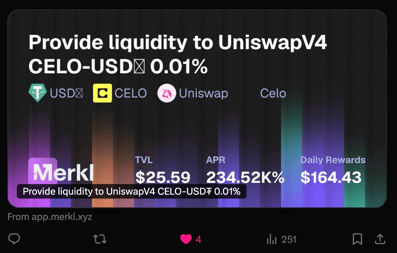
Share your favorite opportunities with friends or your community on social media or messaging apps. The link preview is automatically generated and shows all the key details of the opportunity at that moment: TVL, APR, rewards, and more.
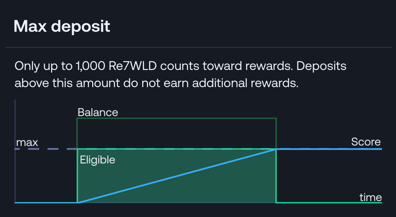
See how rewards are calculated by visualizing the scoring type
Discover how distributed rewards are calculated, i.e., the scoring method used, through a clear and intuitive visual. To view it, go to an opportunity’s page and click on a campaign. The scoring type is then visible in the campaign’s Overview tab. To see the graph, simply hover over the Scoring Method tooltip. Note: the scoring type is not displayed for time-weighted campaigns.
Share personalized stats from your user dashboard
See your top protocols and chains, along with the number of opportunities you’ve participated in on Merkl. Inspired by Merkl Wrapped 2025, these stats are available directly in your dashboard on the Merkl App. Bonus: you can share them with just one click on X!

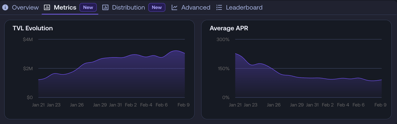
Track TVL and APR changes
See how your liquidity can influence an opportunity’s APR with Merkl’s new charts! In the Metrics tab of each campaign, explore TVL trends, APR trends, and a combined chart to track how APR evolves with TVL.
Hide child campaigns
Keep your Merkl App clutter-free by hiding child opportunities with just one click. To do this, open the Advanced Filters on the Opportunities page and check “Exclude subcampaigns”. Not sure what linked opportunities or parent and child campaigns are? Check out this article.
Search campaigns using a token address
Find the opportunities you care about even faster by entering a token address directly in the search bar on the Opportunities page. This will filter all campaigns that involve that token.
For protocols
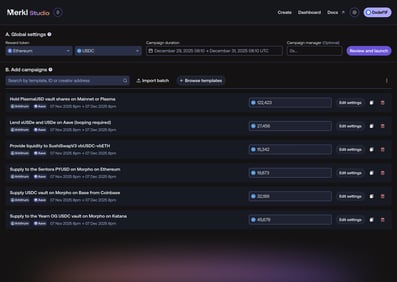
Launch batch campaigns with the new Advanced Studio
Launch up to 20 campaigns simultaneously with the new Merkl Advanced Studio and its batch campaign feature. Plus, a template marketplace lets you set up campaigns in just a few clicks, without starting from scratch. Announced in beta in January, Merkl Advanced Studio is now fully operational, helping teams save time and work more efficiently.
Track TVL and APR evolution
See how your campaign’s APR and the TVL of the incentivized asset/market/pool change over time. Just go to your Manage page in Merkl Studio, select a campaign, and check its Metrics.
See total rewards distributed per opportunity
See the total rewards distributed for an opportunity. Simply go to your Manage page on Merkl Studio and select an opportunity where you’ve created a campaign. The amount appears in the stats, next to the TVL and total number of participants.
Boost rewards starting from a first deposit
You can now boost rewards for new users on their first liquidity deposit using a new customization option. It’s possible to increase a user’s rewards for a few days from their first deposit, up to a certain threshold. The boost therefore starts and ends on different dates for each address.
Transfer funds to a single recipient
Use Merkl to transfer money! It works like an airdrop but to a single recipient, and a privacy feature keeps the transfer hidden in the app.
Create campaigns with APRs based on external values
Create capped or fixed APR campaigns in Merkl, with APRs determined by external values like an API.
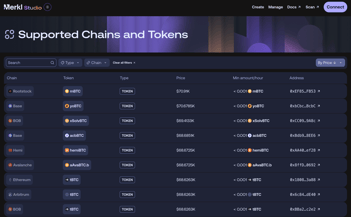
Follow supported chains and tokens on a dedicated page
Quickly see all tokens and chains supported by Merkl on a new Integration page, accessible from the menu in Merkl Studio.
Exclude predatory LPs by enforcing a minimum tick range
Set a minimum tick delta for LPs to be eligible for rewards in concentrated liquidity campaigns. This prevents LPs from providing liquidity within an ultra-narrow range, which adds little to the pool's depth, while still capturing a portion of the rewards.
Blacklist LPs that remove liquidity before swaps and re-add it afterward
Automatically blacklist LP addresses that withdraw their liquidity before a swap and then re-add it afterward. These users are attempting to game the system by capturing rewards without actually fulfilling the role of an LP during swaps.
Conclusion
January 2026 was a milestone for Merkl, featuring significant enhancements throughout the platform, from improved discovery and usability for LPs to more robust and flexible tools for campaign creators
Don’t miss next month’s recap!